
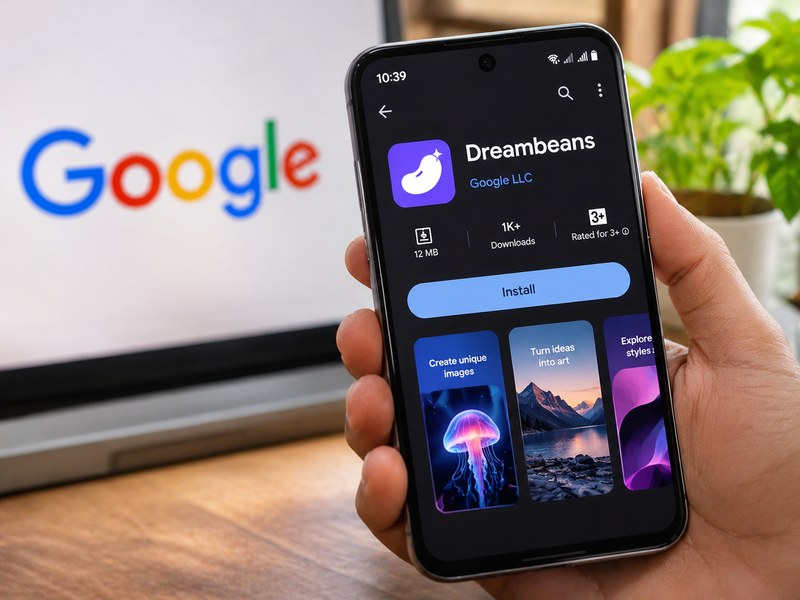
Google has quietly added a new experiment to the Indian app stores. Dreambeans is an AI app from Google Labs that turns what you do across your Google apps into a fresh set of illustrated stories every morning. It has just reached India, and it is free to try.
In this guide, we explain what the Google Dreambeans app is, how it works, who can use it, and how to set it up on your phone.
What Is Google Dreambeans?
Dreambeans is an experimental app from Google Labs that creates personalised daily story collections. Instead of a feed full of other people’s posts, it builds stories around your own interests and activity in the Google services you choose to connect.
Google’s idea is simple: show you what matters to you without the endless scroll of a social feed. Each story comes with AI-generated artwork, so the result looks more like a short illustrated card than a plain notification.
Two terms help you understand the app:
- The “dream”: overnight, the app goes through information from your connected apps and picks out content that seems meaningful to you.
- The “bean”: this is Google’s name for each individual story, which the app writes and pairs with an illustration.
What Kind of Stories Does It Create?
The stories are practical rather than fictional. Based on what the app learns from your connected services, they can cover:
- Topics worth exploring
- Places to visit
- Arts and crafts activities
- Things to try
- Reminders about upcoming events
You can open any story for more detail, bookmark it to come back later, or share it with friends and family. The artwork is generated with Google Photos and Google’s Nano Banana 2 image model. If you want yourself or family members to appear in the illustrations, you need to switch on the face grouping option in Google Photos.
Dreambeans India Launch: Key Facts
| Detail | Information |
|---|---|
| App name | Dreambeans by Google Labs |
| Launched in India | 2 November 2026 |
| Platforms | Android and iOS |
| Price | Free |
| Age limit | 18 and above |
| Account needed | Personal Google account |
| Languages | 14, including English, Hindi, Marathi, Bengali, Tamil, Telugu, Kannada, Malayalam, Gujarati, Punjabi, Odia, Assamese, Nepali and Urdu |
| Status | Experimental (Google Labs) |
India is the first market outside the United States to get the app. Dreambeans arrived in the US in June for Google AI Ultra subscribers, and opened to all US accounts in September. Google has said it chose India because of strong interest from users here and the wide use of its services in the country.
You may see reports mentioning 13 languages. That count refers to the Indian languages, and English makes it 14.
Which Google Apps Does Dreambeans Connect To?
You decide which apps to connect. The app lists services such as Gemini, Google Photos, YouTube and Search, and some reports also mention Calendar and Gmail. Dreambeans needs at least one connected app to work, but connecting more gives it more to build from, so your stories tend to feel more personal.
You can change these connections at any time from the profile section of the app.
How to Use Dreambeans in India (Step by Step)
- Check that you qualify. You must be 18 or older and have a personal Google account.
- Download the app. Open the Google Play Store on Android or the App Store on iPhone and search for Dreambeans by Google Labs.
- Sign in. Log in with your personal Google account and tap Get started.
- Choose your apps. Pick the Google apps you want to connect, or tap Connect all to link everything.
- Tap Done. The app now begins preparing your first stories.
- Wait a few hours. The first set of stories takes a few hours to appear, and you will get a notification when they are ready.
- Open your daily stories. Each morning, a fresh set of stories should be waiting in your feed. Tap a story to read more, bookmark it or share it.
- Pick your language. Choose the language for your stories. You can select one output language at a time, even though the app can understand activity in several languages.
How to Get Better Stories
The app learns from what you tell it. Two buttons help:
- Thumbs-down: tap it on any recommendation you do not want to see again.
- Sparkle button: use it to refine a story or steer the app towards what you prefer.
Connecting more apps and using Google Photos with face grouping turned on will also make the stories feel closer to your real life.
Privacy and Data Controls
Because Dreambeans works by reading information from your Google apps, privacy is the first question most people ask. According to Google, you control which apps are connected, and the app only draws on the services you choose.
From the profile section you can:
- Change or remove connected apps
- Review your feedback history
- Delete your data from the app
If you are not comfortable with the app reading something like your photos or search history, connect only the services you are happy to share, and review the permissions again after a few days.
Is Dreambeans Worth Trying?
Dreambeans is a Google Labs experiment, so expect rough edges and changes. Early interest in the US has also been modest, according to Sensor Tower estimates reported by TechCrunch, so it is too early to say whether it will become a regular habit for many people.
Still, it is free, it supports Hindi, Marathi and other Indian languages, and you can delete your data at any time. If you like the idea of a calm, personal daily digest with ideas for weekend plans, hobbies and local events, it costs nothing to try. If you prefer to keep your Google data separate from AI features, you can safely skip it.
Final Thoughts
Google Dreambeans is an interesting, low-risk way to see what a more personal AI app can look like. Setup takes about two minutes, and you stay in control of the data it uses. Try it for a few days, give the thumbs-down to anything irrelevant, and decide whether the daily stories are useful to you.
Want more guides like this? Keep following Techmie for the latest app launches, AI tools and how-to guides.
Frequently Asked Questions
Yes. The app is free to download on Android and iOS.
Anyone in India aged 18 or above with a personal Google account.
Yes. It supports 14 languages, including English, Hindi, Marathi, Bengali, Tamil, Telugu, Kannada, Malayalam, Gujarati, Punjabi, Odia, Assamese, Nepali and Urdu.
No. You need at least one connected app. Connecting more apps can make the stories more personalised.
Yes. You can review your feedback history and delete your data from the app's profile section.
Dreambeans comes from Google Labs, which is where Google tests early ideas. Features may change, and the app may be updated or withdrawn.
It launched first in the US, and India is the first market outside the US. Check the app store in your country for availability.