
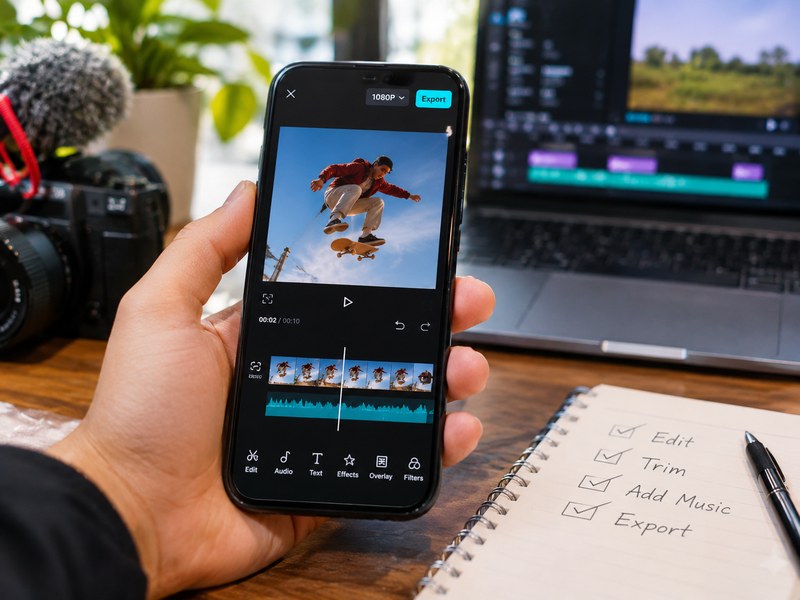
For most creators, the best free apps for editing Reels are Instagram’s built-in editor (simplest), Edits (Instagram’s own standalone app), CapCut (most effects and templates), VN (clean timeline editing) and Canva (template-driven designs). Free tiers change often, so check each app’s current watermark and export limits before you commit.
What makes a good free Reels editor?
Before the list, here is what I looked for:
- Vertical 9:16 export that fits Reels without cropping
- Clean exports (no forced watermark, or a watermark that is easy to avoid)
- The basics done well: trimming, speed control, captions, music and transitions
- Ease of use on a phone, since most Reels are made and posted from one
1. Instagram’s built-in editor
The simplest option is editing inside Instagram. There is nothing extra to install, and one 2026 guide recommends editing inside the Instagram app whenever you can, because native uploads are treated more favourably than imported ones. That claim is the guide’s view rather than something Instagram has confirmed, so treat it as a tip, not a rule.
Best for: quick, trend-based Reels.
Trade-off: limited editing depth. Music availability can also vary by location.
2. Edits (by Instagram)
Edits is Instagram’s standalone editing app, built around Reels. A 2026 roundup lists Edits alongside VN and CapCut as able to produce Instagram-ready videos without watermarks in their free experiences, though limits can vary.
Best for: creators who want more control than the in-app editor but still want a Reels-first workflow.
Trade-off: newer than the others, so expect features to keep changing.
3. CapCut
CapCut is a favorite for effects, templates, auto-captions and trending styles. Most of what a beginner needs is free. Some premium effects and features sit behind a paywall, so check any template before you build a Reel around it.
Best for: stylish, fast-cut, effects-heavy Reels.
Trade-off: you may hit paid-only elements, and templates can carry branding.
4. VN Video Editor
VN gives you a proper multi-track timeline on your phone with keyframes, filters and speed curves. It sits on the same watermark-free list as Edits and CapCut in the roundup above.
Best for: creators who want a “real” editor feel without paying.
Trade-off: the timeline has a steeper learning curve than template apps.
5. InShot
InShot is a popular all-rounder for quick trims, music, text and resizing. One caveat: InShot’s free tier typically adds a watermark unless you pay or use workarounds. Other reviewers describe its free plan differently, so test an export before relying on it.
Best for: fast edits and collages.
Trade-off: ads and watermark limits on the free plan.
6. Canva
Canva works well if your Reels are more design than footage: text animations, branded intros, product highlights. Its free plan covers the basics, though some stock assets and tools need Pro.
Best for: brand-consistent Reels and non-editors.
Trade-off: less precise than a timeline editor.
Quick comparison
| App | Best for | Main free-tier catch |
|---|---|---|
| Instagram editor | Speed, simplicity | Limited tools |
| Edits | Reels-first control | Still evolving |
| CapCut | Effects and templates | Some paid-only items |
| VN | Timeline editing | Learning curve |
| InShot | Quick edits | Watermark/ads possible |
| Canva | Branded design | Pro-only assets |
Features and limits change often. Confirm in the app before publishing.
Which app should you pick?
- Total beginner: start with Instagram’s editor or CapCut.
- Want more control: try VN or Edits.
- Brand or business account: use Canva for templates, then finish in Instagram.
- Hate watermarks: do a test export first, then decide.
5 quick tips for better Reels, whichever app you use
- Hook in the first second. Open with motion or a bold line of text.
- Edit for sound off. Add captions.
- Cut tight. Remove every pause that doesn’t help the story.
- Keep key content in the safe zone. Leave room for Instagram’s buttons and captions.
- Export in vertical 9:16 to avoid black bars.
Bottom Line
You don’t need a paid app to make good Reels. Pick one, learn it well, and put your effort into the hook and the pacing. If your first export carries a watermark, switch tools.
Frequently Asked Questions
It depends on your style. CapCut suits effects and templates, VN suits timeline editing, and Instagram’s own editor suits speed.
Several apps can export without a watermark on their free plans, including VN, CapCut and Edits, according to a 2026 roundup. Limits can vary, so always run a test export.
Yes. Desktop editors and web tools such as Canva work too, but most free options in this list are mobile-first.
Either works. Another app gives you more tools, while in-app editing is faster and avoids re-exporting.
Not to start. Free tools cover trimming, captions, music and transitions. Upgrade only if you need premium effects, cloud storage or watermark removal.