
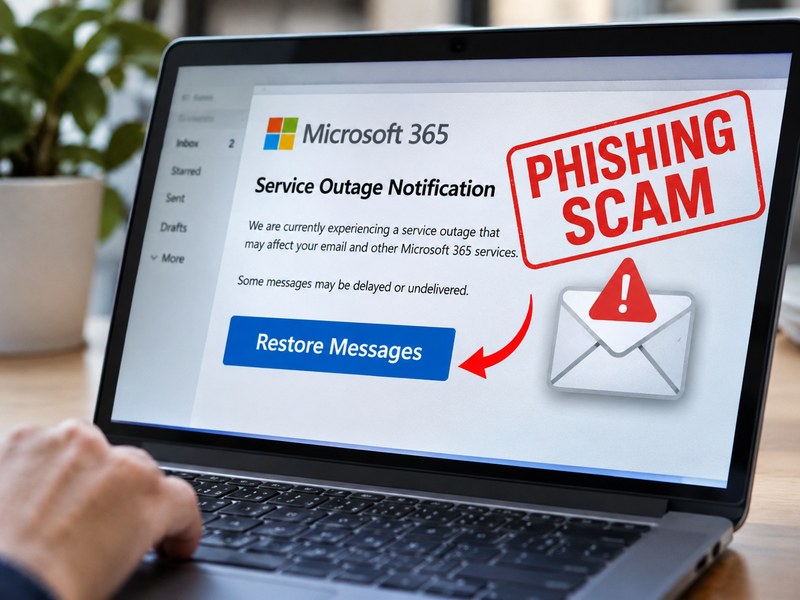
On November 13, 2026, Microsoft Threat Intelligence saw a high-volume phishing campaign that used fake Microsoft 365 outage notices. The emails claimed your messages were held during a service disruption and would be deleted within 24 hours unless you clicked “Restore Messages.” The link goes to a non-Microsoft site and is likely meant to steal your login. Don’t click it. Check service status in the Microsoft 365 admin center instead.
What happened?
According to Microsoft’s security team, the campaign targeted organizations across multiple sectors worldwide. The emails were disguised as official service-health notifications, a format most IT teams and employees are used to seeing.
The attackers built the lure around a simple fear: losing business email. The message said mail had been held during an outage and would be permanently deleted within a day unless the recipient acted. That deadline is the classic pressure tactic behind most phishing, and it was timed to follow real-world attention on cloud outages.
Microsoft says the campaign was likely credential phishing, but it has not confirmed that any credentials were captured or that malware was delivered. It has not attributed the activity to a named threat actor. Microsoft also says its Defender tools are blocking and quarantining these messages for protected customers.
How the outage phishing emails work
Microsoft’s analysis describes a fairly simple attack chain:
- Delivery. The email arrives from one of several throwaway sender domains. The subject follows a pattern like “Outage –” plus a random string of characters, which makes it harder for filters to match.
- Impersonation. The display name looks official, such as “ Outage Notification” or “Service Health.” The body mentions Exchange Online, Outlook, Teams, SharePoint and Copilot to look credible.
- Pressure. The message claims a handful of emails were held and will be deleted in 24 hours.
- The click. A large “RESTORE MESSAGES” or “TAKE ACTION” button sends the reader through a tracking link unique to that recipient.
- The redirect. The link lands on a site that has nothing to do with Microsoft. Microsoft’s researchers could not confirm what the final page did, but this pattern fits a fake login page.
Two details make this campaign tricky. First, there were no attachments or QR codes, just links, which many filters scan less aggressively than files. Second, the sender domains, subjects and tracking links were varied, so a single block rule would not catch everything.
Warning signs of a fake Microsoft 365 outage email
- A deadline. Real service-health notices don’t threaten to delete your mail in 24 hours.
- A non-Microsoft destination. Hover over the button. If the address isn’t a Microsoft domain, stop. Microsoft says legitimate service-health communications don’t send you to outside domains to recover held mail.
- Odd subject lines. Random character strings after the word “Outage” are a red flag.
- A generic or mismatched sender. The display name says “Service Health,” but the actual sending domain is something unrelated.
- Urgency without detail. The email says messages are “held” but gives no incident ID you can verify.
What to do if you got one
For individual users
- Don’t click anything. Report the message using your organization’s Outlook reporting option, then delete it.
- If you already clicked and entered your password, change it right away from a trusted device and tell your IT or security team.
For IT and security teams
Microsoft’s guidance includes these steps:
- Search mail logs for the sender domains, subject pattern and destination domain, then quarantine and remove delivered copies.
- Identify who clicked the links, using click telemetry, proxy logs and endpoint evidence.
- For anyone who may have entered credentials, reset the password, revoke active sessions and refresh tokens, and check their MFA registrations.
- Review those accounts for suspicious sign-ins, new inbox or forwarding rules, OAuth consents and delegate permissions.
- Block or closely monitor the destination domain, but avoid broadly blocking shared email-delivery services, since that could disrupt legitimate mail.
- Verify real outages through the Microsoft 365 admin center, never through links in unsolicited email.
Microsoft’s original post also includes hunting queries and a full list of indicators of compromise, which are worth reviewing if you run Defender.
How to harden your organization against outage-themed phishing
- Use phishing-resistant MFA. Passkeys and security keys are harder to phish than passwords or one-time codes.
- Turn on link and attachment protection. In Microsoft Defender for Office 365, that means Safe Links and Safe Attachments.
- Enable zero-hour auto purge (ZAP). It can pull a phishing message back out of inboxes after new threat intelligence arrives.
- Run attack simulations. Train staff on urgency, sender-domain mismatches and “restore” or “release” requests.
- Make reporting easy. The faster a suspicious email is reported, the faster it can be blocked for everyone.
- Adopt a Zero Trust mindset. Assume any single login could be stolen, and limit what a stolen one can reach.
Why attackers keep using outages and big news events
Attackers watch for moments when people expect unusual messages: an outage, a big breach, a holiday sale, a tax deadline. Microsoft notes this campaign fits a long pattern of exploiting notable global events. The takeaway is that the email’s topic is not proof it’s real. If you weren’t expecting a service-health notice, treat it with suspicion, however plausible it sounds.
The Final Word
The Microsoft 365 outage phishing campaign works because it blends a believable situation with a short deadline. The fix is a habit, not a tool: pause, check the sender and the link, and confirm any claimed outage through the official admin center. Layer that habit with strong MFA and email protection and these lures lose most of their power.
Source: Microsoft Security Blog, “High volume phishing campaign uses Microsoft 365 outage lures to target multiple industry sectors,” November 16, 2026.
Frequently Asked Questions
It’s a phishing campaign that sends fake Microsoft 365 service-health emails claiming your messages were held during an outage and will be deleted within 24 hours. The “Restore Messages” button leads to a non-Microsoft website.
Unlikely. Microsoft says its genuine service-health communications don’t direct you to outside domains to recover held mail. Check the Microsoft 365 admin center for real incidents.
Don’t enter any details. If you did, change your password from a trusted device, sign out of active sessions, and notify your IT or security team so they can check your account for suspicious activity.
Microsoft assesses the campaign as likely credential phishing but says the available evidence doesn’t confirm credential capture, malware delivery or later compromise.
Use phishing-resistant MFA, turn on Safe Links, Safe Attachments and ZAP, run phishing simulations, and make it easy for staff to report suspicious emails.