
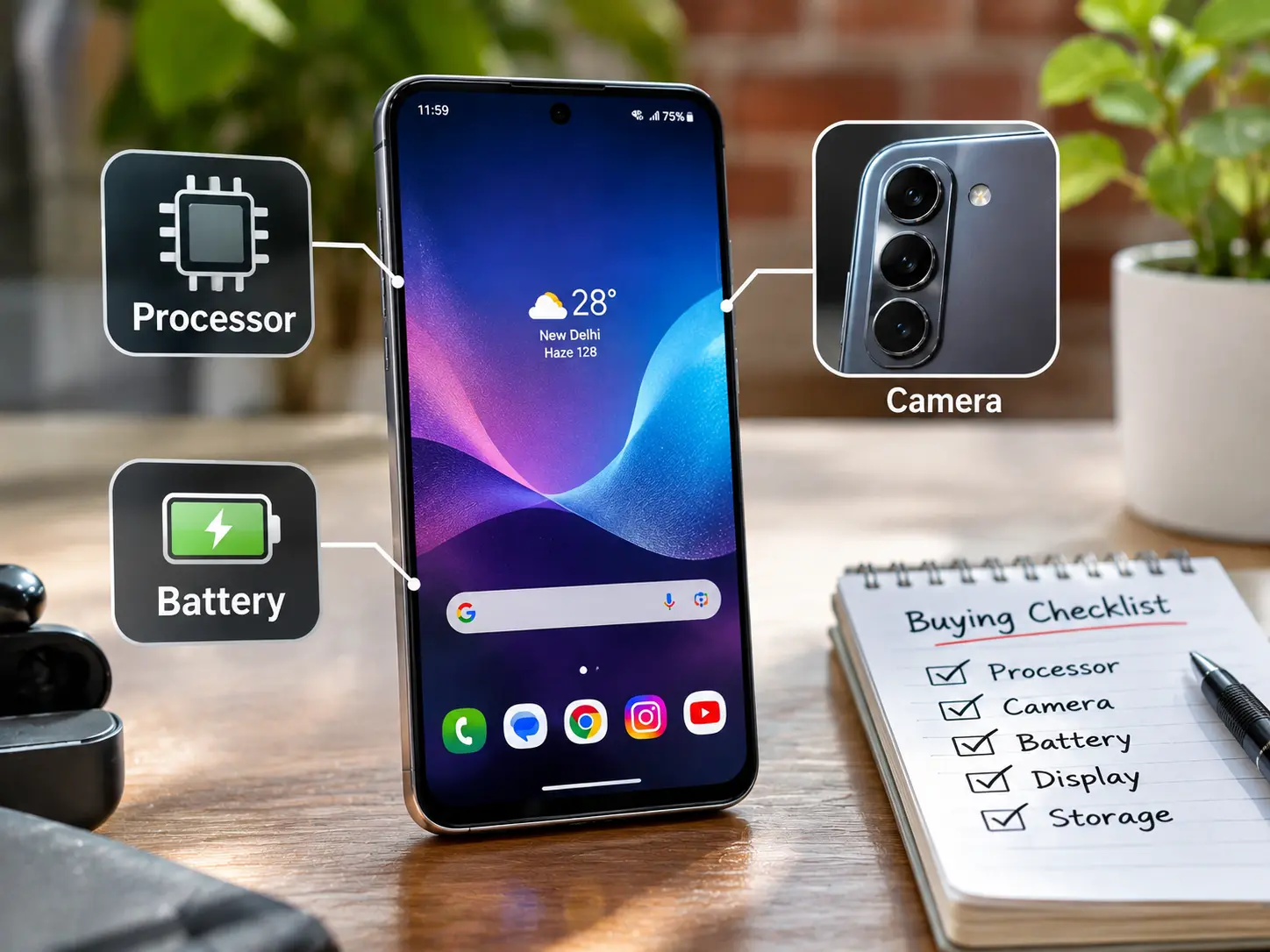
Buying a phone means wading through numbers: gigahertz, megapixels, milliamp-hours. Marketing often makes the biggest number sound like the best choice, but specs only matter if they affect how you actually use the phone.
This guide explains the three things that shape everyday experience most, the processor, camera and battery, and then covers the other factors worth checking before you pay.
Right smartphone as per requirement
Step 1: Set Your Budget and Priorities
Start with two questions:
- How much can I spend? Phones fall roughly into budget, mid-range and flagship tiers.
- What do I do most? Gaming, photos, video, social media, work calls and long commutes all point to different priorities.
A gamer needs a strong processor. A traveler or parent may care most about the camera. Someone who is always out of the house wants a battery that lasts. You can’t max out everything at a given price, so know what to trade off.
The Processor (Chipset): The Phone’s Brain
The processor, or chipset, handles apps, games, multitasking, camera processing and AI features. A better chip means a faster, smoother phone that stays useful for more years.
What to look for
- Tier, not just clock speed. GHz alone is misleading. Compare the chip’s generation and tier, such as flagship, upper mid-range or budget. Examples include Apple’s A-series, Qualcomm’s Snapdragon 8 and 7 series, MediaTek’s Dimensity and Google’s Tensor.
- Real-world benchmarks. Independent reviews that test gaming performance, heat and sustained speed tell you more than a single benchmark score.
- Thermal control. A chip that is fast for 30 seconds but throttles when hot isn’t much use for long gaming sessions or video.
- Modern features. Newer chips handle on-device AI, better camera processing and efficient 5G.
Who needs what
| User | Processor tier |
|---|---|
| Casual (calls, social, browsing) | Budget or lower mid-range |
| Everyday plus some gaming | Upper mid-range |
| Heavy gaming, 4K video, editing | Flagship |
If you keep phones for four years or more, spending a little extra on a stronger chip is usually worthwhile.
The Camera: Don’t Trust Megapixels Alone
Megapixels measure resolution, not quality. A 200MP camera can still produce worse photos than a well-tuned 50MP one.
What really affects photo and video quality
- Sensor size. Larger sensors capture more light, which helps in dim conditions.
- Aperture and lens quality. A wider aperture lets in more light.
- Image processing. Software decides colors, sharpness and dynamic range. This is why some phones with similar hardware look very different.
- Stabilization. Optical image stabilization (OIS) reduces blur in low light and shaky video.
- Lens variety. A main lens is essential. A telephoto lens helps with portraits and zoom, and an ultrawide is useful for landscapes and group shots. Be wary of low-quality extra lenses added just to inflate the count.
- Front camera. Check it if you take selfies or video calls.
- Video features. Look for 4K recording, good stabilization and clear audio if you shoot video. Our guide to the best phones for video recording and vlogging covers this in depth.
How to judge a camera
Look at sample photos and video from independent reviewers, especially low-light shots, which show the biggest differences between phones.
The Battery: Capacity Is Only Half the Story
Battery size is measured in mAh, and larger is usually better. But real battery life depends on several things.
What to check
- Capacity (mAh). Around 5,000mAh is common in many phones today, but efficiency matters as much as size.
- Chip efficiency and display. An efficient processor and a well-tuned screen can beat a bigger battery in a less efficient phone.
- Charging speed. Fast wired charging can top up a phone quickly, but wattage claims vary, so check reviews for real charge times. Also check whether a charger is included in the box.
- Wireless charging. Helpful if you like charging pads, though it’s usually slower.
- Battery health over time. Some brands offer features to limit charging and reduce wear. Check how long the phone is expected to keep good battery health.
- Review battery tests. Look for screen-on time in independent tests rather than the manufacturer’s claims.
Other Things Worth Checking
Display
Look at size, brightness and refresh rate. A 90Hz or 120Hz screen feels smoother when scrolling. OLED panels generally give better contrast than LCD, and high peak brightness helps outdoors.
Storage and RAM
- 128GB is a bare minimum now, and 256GB is safer if you shoot lots of photos and video.
- 8GB RAM is a comfortable baseline for most people. Heavy multitaskers and gamers may want more.
Software and update support
This is easy to overlook. A phone that gets several years of OS and security updates stays safer and more useful for longer. Check how many years the brand promises.
Build, durability and size
Look for water and dust resistance (an IP rating) and consider how the phone feels in your hand. A phone that’s too big or heavy gets annoying fast.
5G and connectivity
Make sure the phone supports the 5G bands used by your carrier. Also check for modern Wi-Fi and Bluetooth, and a headphone jack or NFC if you need them.
A Simple Way to Decide
- Pick your budget range.
- Rank your priorities: performance, camera, battery, display, software support.
- Shortlist 2 or 3 phones that fit your budget and top priorities.
- Read independent reviews covering camera samples, battery tests and heat.
- Compare real prices and offers before buying, since discounts and sales can change which phone is best value.
Common Mistakes to Avoid
- Choosing by megapixels or GHz alone
- Ignoring update support
- Buying more storage or RAM than you need while skimping on the chip or battery
- Trusting manufacturer battery and charging claims without reviews
- Skipping a hands-on look at the phone’s size and weight
Final Thoughts
The best smartphone isn’t the one with the biggest numbers. It’s the one that fits how you use your phone and your budget. Understand what the processor, camera and battery actually do, check update support, read independent reviews, and you will make a smarter choice.
Frequently Asked Questions
It depends on your use, but for most people the processor, battery life and camera, in that order or close to it, shape the daily experience.
Not necessarily. Sensor size, lens quality and software processing affect photo quality more than megapixel count.
Around 5,000mAh is a common benchmark, but efficiency matters, so check real-world battery tests.
8GB RAM and 128GB to 256GB storage suit most users. Choose more if you game heavily or shoot a lot of video.
If you want the best camera, performance and longer software support, yes. Many mid-range phones are good enough for everyday use at a much lower price.